



About Open Camera
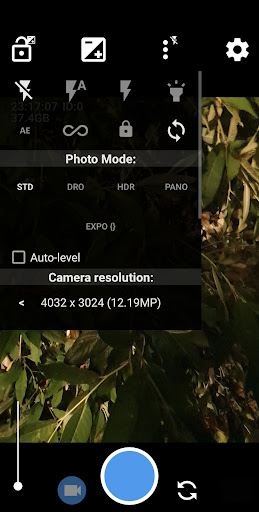
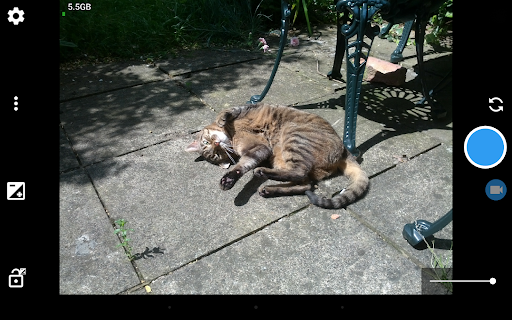
Open Camera is a free, open-source camera app offering advanced controls and customization. It provides extensive options for photography enthusiasts, allowing users to fine-tune settings for professional-quality results.
Key Functions
Auto-Leveling
Ensures your photos are perfectly straight and level automatically, regardless of how you hold the device.
Manual Controls
Access advanced camera settings like ISO, focus, and exposure compensation for creative control.
Remote Control Options
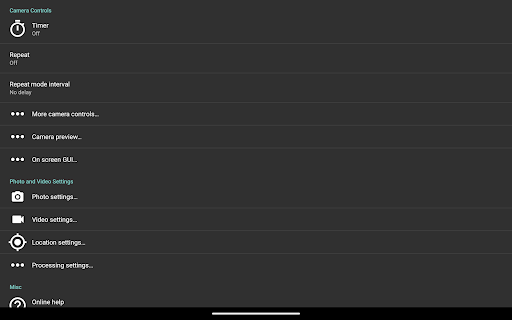
Use a timer, voice countdown, or sound to trigger photos remotely for hands-free shots.
Image Enhancements
Apply date, time, location, or custom text overlays, and remove metadata for privacy.
Use Cases
Perfect for photographers who want more than basic snapshots. Whether you're capturing landscapes that need precise leveling or portraits where manual focus is key, Open Camera offers the tools. Travelers can geotag photos, and users concerned about privacy can strip EXIF data.
How It Works
- Download and install Open Camera from your device's app store.
- Open the app and grant necessary camera and storage permissions.
- Explore the settings menu to configure features like grid overlays or timers.
- Start taking photos by tapping the shutter button or using remote triggers.
 Google Play
 App Store
